
Make the headline yours
Edit detected text, adjust its size or color, and fit a new message into an existing composition.
Turn a finished image into pieces you can work with. Separate text, subjects, and backgrounds to give a good design another life.
Open layer splitterOpens in Playyy · Choose your file there
JPG, PNG, WebP
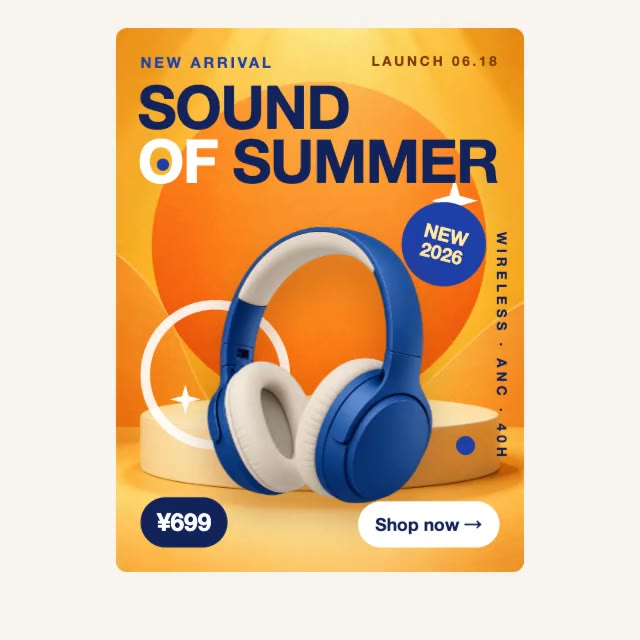 Text ImageBackground
Have the finished poster but not the original design file? Split Layers uses AI to infer the parts of a flat image and separate them into an editable composition. Start from an exported ad, product graphic, or social post, then work on the pieces individually.
Edit detected text, adjust its size or color, and fit a new message into an existing composition.
Move and resize separated elements to explore a new hierarchy without rebuilding the whole design.
Keep a useful layout while updating the product, offer, or background for the next campaign.
Open Split Layers in Playyy and choose a JPG, PNG, or WebP design you have permission to use.
Run Split Layers and review the detected text, foreground, and background pieces.
Adjust individual layers, replace content, and export your updated composition.
No. Split Layers starts from a flat JPG, PNG, or WebP. It reconstructs an editable composition from the visible image rather than reopening the original source file.
Detected text can become editable text blocks. Review the wording, font, spacing, and alignment after splitting, especially for small or decorative lettering.
Background removal isolates the foreground subject. Splitting layers aims to separate multiple parts of a design, including text and images, so you can rearrange the composition.
Not necessarily. AI infers the layer structure from the exported image. Complex overlap, transparency, and blended effects may need a review and cleanup pass.
Your file is selected and processed in Playyy